I stopped memorizing openssl flags
Every few weeks I need to do something with a certificate. Check when it expires. Look at what SANs...
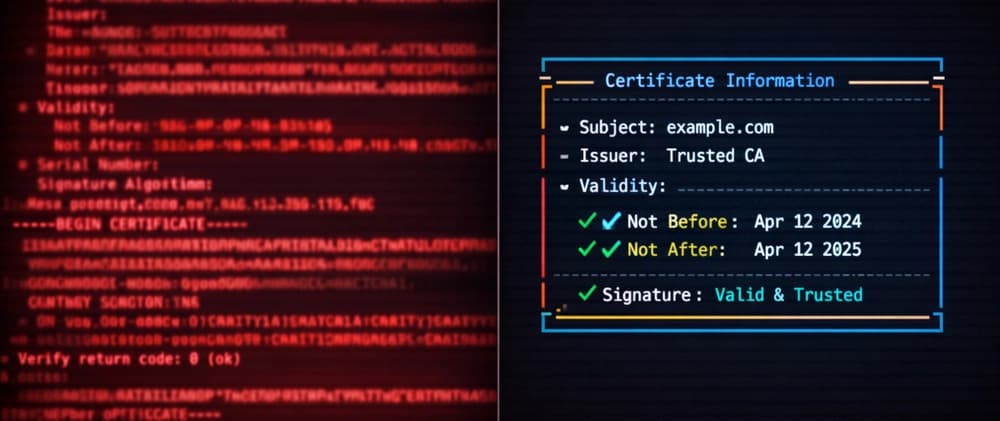
Every few weeks I need to do something with a certificate. Check when it expires. Look at what SANs are on it. Generate a self-signed one for local dev. Create a CSR. Convert between formats.
And every single time, I google the openssl command.
It's not that the commands are hard. It's that they're inconsistent enough that I can never quite remember them. Is it openssl x509 -in or openssl x509 -text? Do I need -noout? What about the s_client pipeline thing where I have to pipe through two commands just to see a cert from a live server?
I've been writing software for years. I can hold a lot of random CLI syntax in my head. But openssl never sticks. The subcommands follow no pattern I can internalize, and the flags feel like they were designed by committee across two decades. Which, to be fair, they were.
what I actually do with certificates#
When I thought about it, my cert tasks fall into maybe 10 categories:
- Look at a cert file
- Connect to a server and see its TLS setup
- Check if a cert is expiring soon (across multiple hosts)
- Generate a self-signed cert for development
- Create a CSR
- Convert between PEM/DER/PKCS12
- Check if a cert and private key match
- Grade a server's TLS configuration
- Decode a JWT (yeah, this comes up more than I expected)
- Verify a certificate chain
That's it. I'm not running a certificate authority. I'm not doing low level crypto operations. I'm doing the same 10 things over and over, and reaching for a tool that does 200 things, most of which I'll never touch.
the openssl tax#
Here's what some of these look like in openssl:
# check when a remote cert expires
echo | openssl s_client -connect host:443 2>/dev/null | openssl x509 -noout -enddate

# generate a self-signed cert with EC key and SANs
openssl req -x509 -newkey ec -pkeyopt ec_paramgen_curve:P-256 \
  -keyout key.pem -out cert.pem -days 365 -nodes -batch \
  -subj "/CN=localhost"

# check if cert and key match
diff <(openssl x509 -noout -modulus -in cert.pem) \
     <(openssl rsa -noout -modulus -in key.pem)
I call it a tax because it's time I spend repeatedly, on something that should be simple, and the complexity doesn't buy me anything. I don't need openssl's full power. I need the 10 things.
so I built the 10 things#
I wrote a tool called sslx. Same tasks, less typing:
# check when a remote cert expires
sslx expiry host

# generate a self-signed cert
sslx generate --cn localhost

# check if cert and key match
sslx match cert.pem key.pem
The pattern is: sslx <verb> <target>. That's it. No subcommand soup, no flags you need to memorize. The verbs are the same words you'd use if you were describing the task out loud.
Here's the full comparison:
| What you're doing | openssl | sslx |
|---|---|---|
| Look at a cert | openssl x509 -in cert.pem -text -noout |
sslx inspect cert.pem |
| TLS handshake | openssl s_client -connect host:443 2>/dev/null | openssl x509 -text |
sslx connect host |
| Self-signed cert | openssl req -x509 -newkey ec ... (6 flags) |
sslx generate --cn localhost |
| Check expiry | echo | openssl s_client ... | openssl x509 -noout -enddate |
sslx expiry host |
| Cert+key match | diff <(openssl x509 ...) <(openssl rsa ...) |
sslx match cert.pem key.pem |
| PEM to DER | openssl x509 -in cert.pem -outform DER -out cert.der |
sslx convert cert.pem --to der |
| TLS grade | (go to ssllabs.com) | sslx grade host |
| Decode JWT | (go to jwt.io) | sslx decode <token> |
what the output looks like#
This is probably the part that sold me on actually using it daily. openssl gives you a wall of ASN.1 text. sslx gives you the parts you care about:
$ sslx grade github.com

  ╭──────────────────────────────────────────╮
  │  github.com:443                  Grade: A+  │
  ╰──────────────────────────────────────────╯

  ✓ Protocol      TLS 1.3
  ✓ Cipher        TLS13_AES_128_GCM_SHA256 (AEAD)
  ✓ Certificate   Valid, 49 days remaining
  ✓ Key           ECDSA P-256 (256 bit)
  ✓ Hostname      github.com in SANs
  ✓ Chain         Complete (3 certs)
  ✓ ALPN          HTTP/2 supported
Or checking expiry across a bunch of hosts at once:
$ sslx expiry google.com github.com cloudflare.com stripe.com

  Host                           Expires          Days  Status
  ────────────────────────────────────────────────────────────────
  ✓ google.com:443                 2026-06-15         61  OK
  ✓ github.com:443                 2026-06-03         49  OK
  ✓ cloudflare.com:443             2026-06-10         56  OK
  ✓ stripe.com:443                 2026-09-01        139  OK
The expiry command returns exit code 1 if anything expires within 7 days. I have this in a cron job now.
CI/CD and scripting#
Everything supports --json for when you need machine readable output:
sslx grade example.com --json | jq '.grade'
sslx inspect cert.pem --json | jq '.certificates[0].sans'
And you can pipe certs from stdin:
cat cert.pem | sslx inspect -
kubectl get secret tls-cert -o jsonpath='{.data.tls\.crt}' | base64 -d | sslx inspect -
That second one is real. I use it to check certs stored in k8s secrets without writing temp files.
the technical bits, briefly#
It's written in Rust, single binary, no runtime dependencies. Uses rustls instead of linking against system OpenSSL, so it works the same everywhere. About 4MB.
It's fast too, though I don't think that matters much for a cert tool. sslx inspect on a local cert takes about 2ms.
Install with cargo or homebrew:
cargo install sslx
# or
brew install glincker/tap/sslx
what it doesn't do#
sslx is not a replacement for openssl the library. It doesn't do symmetric encryption, PKCS operations, S/MIME, or any of the hundred other things openssl can do. If you need those, use openssl.
It replaces the 10 cert/TLS commands I kept googling. Nothing more.
If you have opinions about what commands are missing or how the output should look, open an issue. I'm using this daily so I actually read them.