Free SVG brand icons in 2026: thesvg.org vs svgl vs Simple Icons
Three free SVG brand icon libraries compared on icon count, color support, license, and integration. Pick the right one for your project.
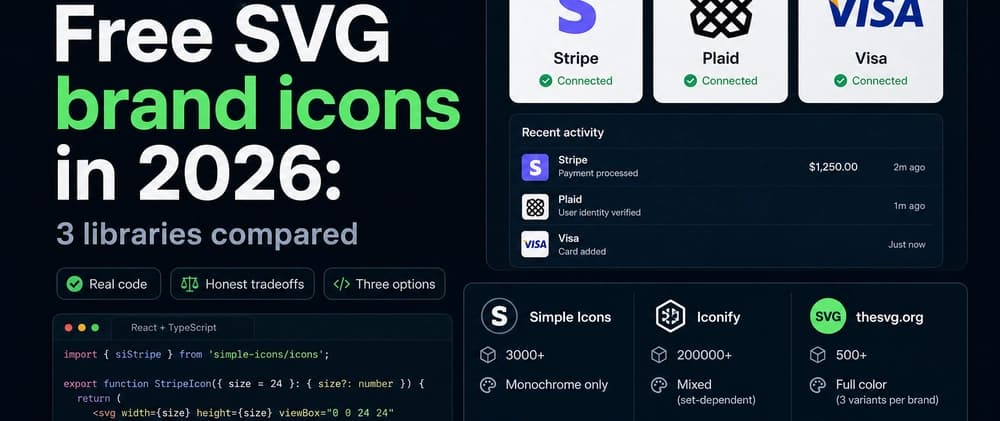
title: Free SVG brand icons in 2026: thesvg.org vs svgl vs Simple Icons description: Three free SVG brand icon libraries compared on icon count, color support, license, and integration. Pick the right one for your project. tags: design, webdev, opensource, javascript canonical_url: https://thesvg.org/compare
If you need brand logos for a dashboard, a marketing page, or a "trusted by" section, the answer in 2026 is no longer just Simple Icons. Three libraries now cover most real-world needs, and they win on different brackets.
This post is the comparison I wish existed when picking one for a recent build. Real numbers, no invented benchmarks, honest tradeoffs.
TL;DR
| Library | Icons | Color | License | Best for |
|---|---|---|---|---|
| Simple Icons | 3000+ | Monochrome only | CC0 | Footer rows, social icons |
| svgl | 657 | Full color, dual variants | MIT | Curated brand grids, design references |
| thesvg.org | 5600+ | Full color, multi-variant per brand | Free, no attribution | Brand dashboards, logo walls, marketing pages |
If you need an aggregator across 200+ icon sets (Lucide, Heroicons, Material, plus brand sets), Iconify is the long-tail option. It is not in the same category as the three above, so I leave it out of the head-to-head.
1. Simple Icons
Simple Icons is the historical default for free SVG brand icons. Three thousand plus brands, all monochrome, CC0 license. You import what you need.
The catch hides in the word "monochrome." Every icon ships as a single-fill SVG. Stripe renders purple in real life. Visa is blue and yellow. Slack uses four colors. Simple Icons gives you the silhouette and a hex code in the metadata. You apply the brand color yourself.
import { siStripe } from 'simple-icons/icons';

export function StripeIcon({ size = 24 }: { size?: number }) {
  return (
    <svg width={size} height={size} viewBox="0 0 24 24" fill={`#${siStripe.hex}`}>
      <path d={siStripe.path} />
    </svg>
  );
}
That works for footer rows where everything renders at one size with one color. It does not work when a designer asks for the actual Stripe gradient, or when you need both the wordmark and the symbol.
The bundle question matters too. The full Simple Icons npm package weighs around 13 MB unpacked. Modern bundlers strip what you do not import, but a Next.js build can pull in the whole package because of a barrel file. Import per-icon paths to be safe.
2. svgl
svgl is a curated collection of brand SVGs that has gained traction over the past two years. As of writing, the site shows 657 logos across categories like AI, Analytics, Browser, Database, Devtool, Framework, Hosting, Payment, and Social.
The strength is curation. Every entry looks production-ready. The Adobe entries, for example, ship both color and grayscale variants, so you can match the surrounding UI without hunting for an alternate file. The MIT license keeps usage simple.
The tradeoff is breadth. 657 logos cover popular SaaS, dev tools, and consumer brands, but if your fintech dashboard needs every regional bank or every payment processor in a niche market, you will hit gaps. svgl also leans on a copy-from-site model rather than a heavy npm install, which is good for bundle size and works as long as you have network at build time.
3. thesvg.org
Disclosure: thesvg.org is my project.
thesvg.org is a free brand SVG library focused on coverage and clean source files. The current catalog is 5600+ icons, with several variants per brand where the brand ships them (typically a wordmark, a symbol, and a monochrome version). License: free, no attribution required.
npm install thesvg
Browse and download from thesvg.org. The site supports category filtering (AI, Analytics, Browser, Database, Devtool, Framework, Hosting, Payment, Social, plus dozens more) and alphabetical sort, so finding a specific brand takes seconds.
The pitch is breadth at a strong fidelity bar. 5600+ vs 657 is the headline number. The structural choice that matters for production work is consistent variant coverage: when you build a logo wall, you want every brand to ship a symbol and a wordmark in the same SVG style, not a mix of "we got this one as a square avatar and that one as a horizontal logo."
The tradeoff is curation overhead. Adding a brand correctly means sourcing the original, optimizing through SVGO with a per-brand config, naming the variants, and verifying the output renders the same on dark and light backgrounds. The library trades faster growth for cleaner files.
4. The structural comparison
I will not invent benchmarks I have not run. Instead, here is how the three stack up structurally on the dimensions that actually matter on a real project.
| Dimension | Simple Icons | svgl | thesvg.org |
|---|---|---|---|
| Smallest bundle (monochrome) | Wins | n/a | n/a |
| Best curation per icon | Tie | Wins | Wins |
| Most full-color brands | n/a | n/a | Wins |
| Variant coverage (symbol + wordmark + mono) | n/a | Partial | Wins |
| Easiest CDN drop-in | Tie | Wins | Wins |
| License simplicity | CC0 | MIT | Free, no attribution |
If you want hard byte numbers, run the same component three ways on your own build. Tree-shaking and your framework choice matter more than what any blog post claims.
5. The license question nobody reads
This part bit me on a freelance project two years ago. Free does not mean unrestricted.
Simple Icons is CC0 for the SVG paths. The brand names and logos themselves remain trademarks of their owners. CC0 covers the SVG file, not the trademark right to use it.
svgl is MIT for the file collection, with the same trademark caveat per brand.
thesvg.org is free with no attribution required for the file collection, again with trademark rules applying per brand.
Practical rule: free SVG brand icons libraries give you the artwork, not the right to imply endorsement. If you build a "trusted by" marketing page or a competitor comparison, check the brand's actual logo guidelines. Most companies allow editorial and "as a customer" use, but not rebranding.
6. When to pick which
Three patterns I keep falling back to.
If you need a footer row of twenty social or tech logos, all monochrome, all the same size, Simple Icons is the right answer. Smallest bundle, simplest API.
If you want a curated set of around 600 popular brands and value tight curation over raw count, svgl is the right answer. Strong category organization, MIT license, easy CDN drop-in.
If you need the broadest catalog of full-color brand SVGs with consistent variant coverage, thesvg.org is what I built for that case. 5600+ icons, multi-variant, free with no attribution.
If you need icons across 200+ sets and brands matter only as part of a wider icon system, look at Iconify as a separate option. It serves a different search intent and a different bundling story.
The bottom line
No single library wins every bracket because the brackets are different. Match the tool to the job. Audit your trademark exposure before launch. And do not assume tree-shaking will save you, check the bundle output of your own build.
What is your default brand icon library, and what made you switch? Drop a comment with your stack.
GDS K S · thegdsks.com · building thesvg.org and Glincker · follow on X @thegdsks
Free SVG brand icons are a solved problem only if you pick the right library for the bracket you are in.