Adding OAuth 2.1 to your MCP server in TypeScript
If you're building an MCP server, sooner or later someone is going to ask: how does authentication...
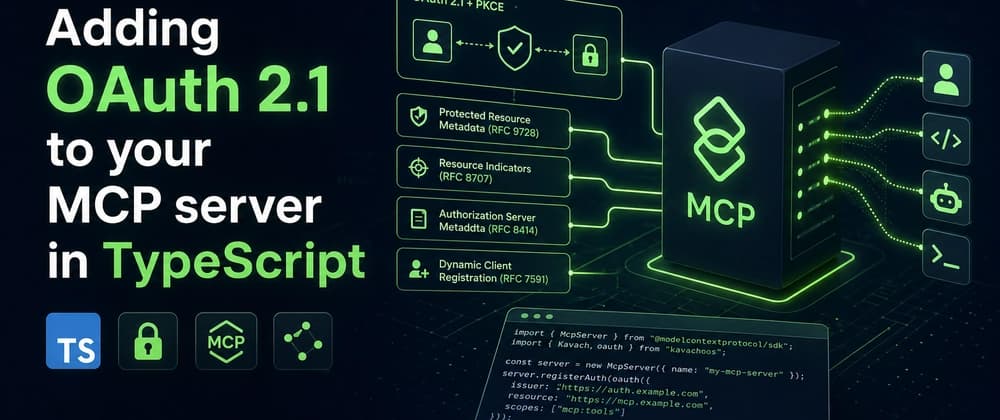
If you're building an MCP server, sooner or later someone is going to ask: how does authentication work?
The MCP spec leaves this open. Most early servers shipped with no auth at all, or a hardcoded API key in an environment variable. That's fine for local Claude Desktop use. It falls apart the moment you publish a remote MCP server that real users connect to.
The right answer is OAuth 2.1 with PKCE, plus four RFCs that nobody enjoys reading: 9728 (Protected Resource Metadata), 8707 (Resource Indicators), 8414 (Authorization Server Metadata), and 7591 (Dynamic Client Registration). I know that sounds like a lot. Let me show you what it looks like in practice.
I'll use KavachOS, the auth library I built for AI agents. You don't have to use it. The point of this post is to show what a compliant MCP OAuth setup actually requires, and why each piece exists.
What you'll build
A Hono-based MCP server that:
- exposes
/.well-known/oauth-protected-resource(RFC 9728) - handles dynamic client registration so Claude Desktop can register itself (RFC 7591)
- runs the authorization code flow with PKCE S256 (OAuth 2.1)
- issues access tokens scoped to a specific resource indicator (RFC 8707)
- validates incoming MCP requests against those tokens
Client                Auth Server          MCP Server
  │                       │                    │
  │  GET .well-known/...  │                    │
  ├──────────────────────────────────────────► │
  │  401 + auth metadata pointer               │
  │ ◄──────────────────────────────────────────┤
  │                       │                    │
  │  POST /register       │                    │
  ├──────────────────────►│                    │
  │  client_id            │                    │
  │ ◄─────────────────────┤                    │
  │                       │                    │
  │  /authorize (PKCE)    │                    │
  │ ◄────────────────────►│                    │
  │  code                 │                    │
  │ ◄─────────────────────┤                    │
  │                       │                    │
  │  /token (code+verif)  │                    │
  ├──────────────────────►│                    │
  │  access_token         │                    │
  │ ◄─────────────────────┤                    │
  │                       │                    │
  │  POST /mcp + bearer   │                    │
  ├──────────────────────────────────────────► │
  │                       │   200 + result     │
  │ ◄──────────────────────────────────────────┤
Setup
npm install kavachos @kavachos/hono hono
index.ts:
import { createKavach } from "kavachos";
import { mcpOAuth } from "kavachos/mcp";
import { createHonoAdapter } from "@kavachos/hono";
import { Hono } from "hono";

const kavach = await createKavach({
  database: { provider: "sqlite", url: "kavach.db" },
  plugins: [
    mcpOAuth({
      issuer: "https://your-mcp-server.com",
      resource: "https://your-mcp-server.com/mcp",
    }),
  ],
});

const app = new Hono();
app.route("/auth", createHonoAdapter(kavach));
That's the auth surface. You still need an MCP handler. Wire it like this:
import { requireToken } from "kavachos";

app.post(
  "/mcp",
  requireToken({ scope: ["mcp:tools"] }),
  async (c) => {
    const agent = c.get("agent");
    const body = await c.req.json();
    // route the MCP request to your tool implementation
  },
);
requireToken validates the bearer, checks scope, and attaches the agent identity to the request context. If the token is missing, expired, revoked, or has the wrong scope, the middleware rejects the request before your handler runs.
What each RFC actually does
RFC 9728: Protected Resource Metadata
When Claude Desktop tries to connect to a remote MCP server, it does not know where the OAuth endpoints are. RFC 9728 fixes that. You expose a .well-known/oauth-protected-resource endpoint that points the client at the authorization server.
GET /.well-known/oauth-protected-resource
{
  "resource": "https://your-mcp-server.com/mcp",
  "authorization_servers": ["https://your-mcp-server.com"],
  "scopes_supported": ["mcp:tools", "mcp:resources"]
}
Without this, Claude Desktop has no way to discover the auth flow. The connection just fails with a confusing error.
RFC 7591: Dynamic Client Registration
You do not want every MCP user filing a ticket to get a client_id. RFC 7591 lets clients register themselves at runtime. Claude Desktop calls:
POST /register
Content-Type: application/json

{ "redirect_uris": ["http://localhost:3334/callback"] }
You return a client_id (and optionally a client_secret). The client uses it for the auth code flow. With this in place, your MCP install is one command from the user's side, not a support email.
OAuth 2.1 with PKCE S256
OAuth 2.1 is essentially OAuth 2.0 minus the mistakes. PKCE is mandatory. The implicit flow does not exist anymore. Public clients must rotate refresh tokens.
The flow:
- Client generates a
code_verifier(random) and acode_challenge(SHA-256 of the verifier, base64url-encoded) - Client redirects to
/authorize?code_challenge=...&code_challenge_method=S256&... - User approves
- Client receives an authorization code at the redirect URI
- Client exchanges the code plus the original
code_verifierat/tokenfor an access token
KavachOS handles this end to end. You write zero lines of OAuth code.
RFC 8707: Resource Indicators
Without resource indicators, an access token is valid for "anything this auth server protects." That is a recipe for token leakage. RFC 8707 binds a token to a specific resource (your MCP server URL).
When Claude Desktop requests a token, it includes:
resource=https://your-mcp-server.com/mcp
The token comes back with that resource baked in. Your MCP server validates it. A token meant for one MCP server will not work against another. This matters more than people realize once a Claude user juggles ten MCP servers from one client.
Testing the flow
npm run dev
In another terminal:
# 1. Discover the auth server
curl http://localhost:3000/.well-known/oauth-protected-resource

# 2. Register a client
curl -X POST http://localhost:3000/register \
  -H "Content-Type: application/json" \
  -d '{"redirect_uris":["http://localhost:3334/callback"]}'

# 3. Walk the auth code flow
# The MCP Inspector from Anthropic does this end to end:
# https://github.com/modelcontextprotocol/inspector
If your server passes the inspector, Claude Desktop connects cleanly.
What you get
Once the server ships:
- An audit log of which agent called which tool, with which scope, at which timestamp
- Per-agent revocation, so you can kill one client without affecting others
- Rate limits per agent, not per IP
- A path to enterprise SSO later, since KavachOS supports SAML and OIDC providers as the upstream identity
Common pitfalls I keep seeing
A few things I have watched teams trip on while wiring this up.
Skipping the .well-known discovery endpoint. Without it, Claude Desktop has no idea where to send the user. It returns a generic "could not connect" error and the user blames the MCP server. This endpoint costs you four lines of code; ship it first.
Hardcoding client_id for testing, then forgetting to swap it for dynamic registration. The single-tenant test setup looks identical to a production setup until the second user shows up and steamrolls the first user's client. Add dynamic registration before you share the server with anyone else.
Ignoring the resource indicator. I have seen teams treat OAuth as a generic login layer and issue tokens with no resource binding. The token then works against any MCP server in the same auth realm, which means a compromised server gets credentials valid against every other server you protect. Always bind tokens to the specific resource URL.
Not setting up token revocation early. Most teams add it after the first incident. By then they have already issued thousands of tokens, none of which they can recall cleanly. The KavachOS revocation API runs in milliseconds. Wire it before you need it.
Skipping audit logs because "we will add observability later." When the first agent does something weird, the only way to find out which token it used is the audit log. Six lines of middleware now save you a week of forensic SQL later.
A note on where MCP auth is going
The MCP spec is still moving. Recent drafts formalize the discovery flow and add elicitation (asking the user to confirm an action mid-flow). KavachOS tracks the spec, so updates land in the SDK without changes on your side.
If you want to skip the build and try it, install is one command:
npx create-kavachos-app
Source: github.com/kavachos/kavachos. MIT.
If you ship an MCP server, what's the auth setup you actually use today: hardcoded key, an Auth0/Clerk pass-through, or something custom? Curious which trade-offs you've made and where it's biting you.